
One 7B model at 4-bit for a single user, or an agent that calls an external model API.
AI VPS sizing guide
How Much RAM Do You Need for an AI VPS? Complete RAM Requirements Guide for AI Models
What a model costs in memory, what Ollama adds, and which plan to buy. LLM VPS RAM requirements for every model size, plus the 8 GB and 16 GB answers most buyers need.
Running a local AI model no longer needs expensive hardware. A small VPS handles chat, agents and automation without complaint, and the specification that decides the purchase is memory. Get it wrong and the model either fails to load or gets killed halfway through an answer. What follows is the arithmetic.
Too little RAM is not a slow server. It is a model that will not load, or one the kernel kills mid-request, or one that survives by swapping and answers at a few tokens per second. Too much RAM fails more quietly: a plan you pay for every month while a sixth of it does any work.
Why RAM Matters for an AI VPS
Four things sit in memory at once: the kernel, Docker, the runtime and the model. Weights are the biggest line item, but the one people forget is the KV cache, the attention state for every token in the conversation.
The answer is never just the model size. Memory demand depends on four things: how the weights are quantized, how long a context you keep, how many people use it at once, and what else is running on the server.
Add it up before you compare prices.
Required RAM =
  operating system   1-2 GB    Ubuntu Server + Docker
+ AI runtime         0.5-1 GB  Ollama, llama.cpp, Python
+ model weights      from the table below
+ KV cache           scales with context and concurrency
+ other services     web UI, n8n, database, monitoring
+ headroom           20-25%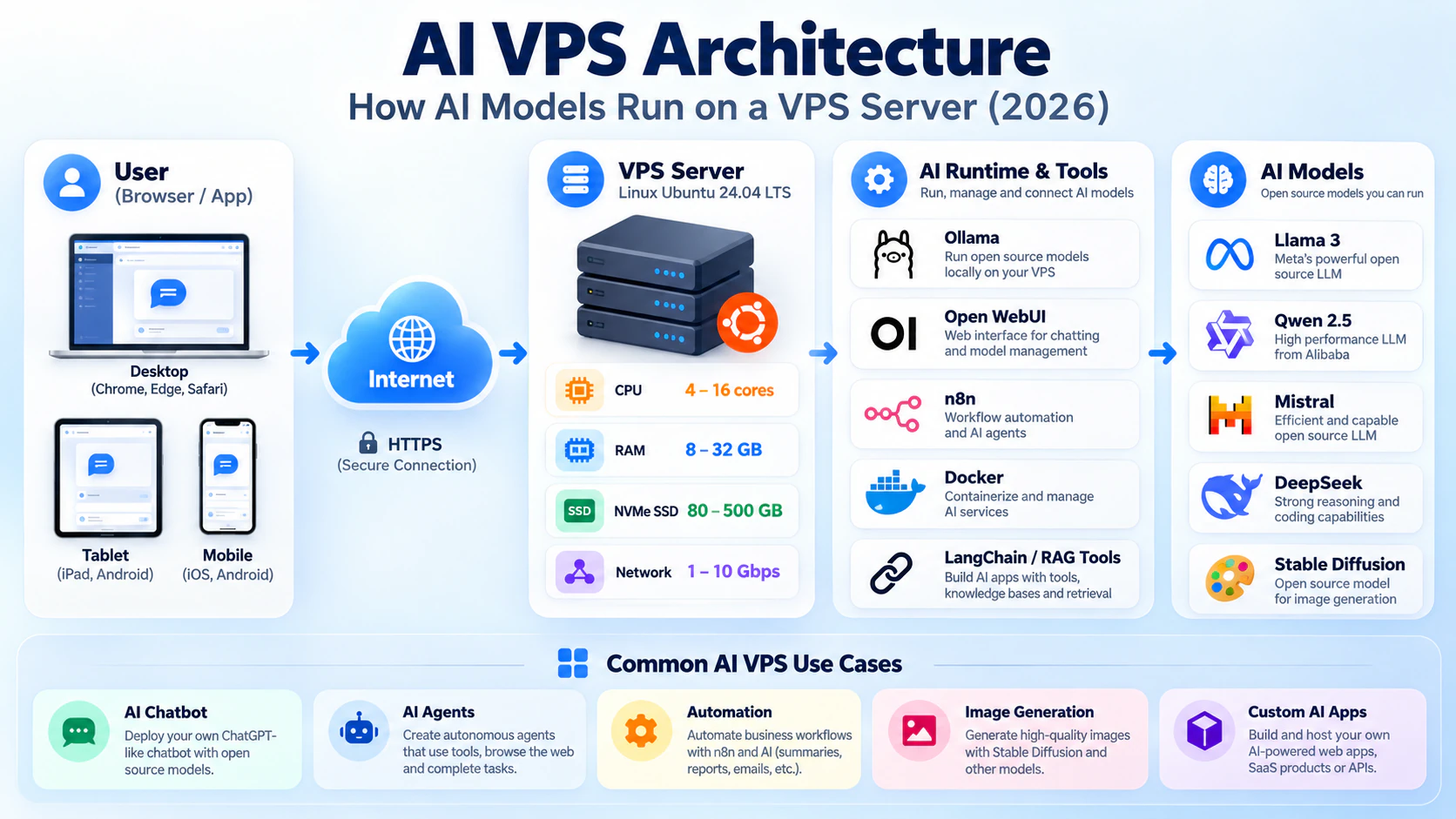
What you need before you size anything
- The model you plan to run, with its parameter count and quantization format
- The context length you need, because the KV cache scales with it
- Everything else that shares the VPS: Docker, a database, a web UI, automation
How to size it in three steps
01
Count the weights
Look up the file size in the quantization you will actually download, not the FP16 figure on the model card. This one decision can move your purchase by two plan tiers.
# Weight memory per billion parameters
# Q4_K_M  ~0.6 GB
# Q8_0    ~1.1 GB
# FP16    ~2.0 GB

# 7B model:  Q4 ~4.5 GB   FP16 ~14 GB
02
Add the cache and the overhead
The KV cache grows with context length and again with concurrency. Ubuntu plus Docker costs 1-2 GB before your application starts, and the runtime adds 0.5-1 GB on top. Add 20-25% for spikes.
03
Verify before you commit
Deploy on monthly billing. Run your own prompts while watching memory and swap. Buy annual only after the plan has survived a realistic session.
free -h
vmstat 5 12
docker stats --no-stream
How Much RAM Do Different AI Models Need?
Parameters set the weight memory. Quantization decides how much of it you pay for.
A 7B model is about 4.5 GB at Q4_K_M and about 14 GB at FP16. Same model, three times the RAM. Q4 is the usual choice on a VPS: a small quality cost for chat and summarisation, a third of the memory. The ranges below assume one user and a moderate context.
Two cautions. A 70B model will load on a 64 GB CPU VPS, but it is not a comfortable way to use one: you get seconds per token rather than tokens per second, and real throughput means a GPU. And every range here assumes nothing else competes for the same memory.
| Model size | Typical RAM | Example models |
|---|---|---|
| 3B parameters | 4-6 GB | Small models for chat and classification |
| 7B-8B parameters | 8-16 GB | Llama 3 8B, Qwen2.5 7B, Mistral 7B |
| 13B parameters | 16-24 GB | Medium LLMs with better reasoning |
| 30B parameters | 32-48 GB | Large models, slow on CPU |
| 70B parameters | 64 GB+ | Enterprise class, realistically a GPU |
AI VPS RAM Requirements by Use Case
The question that changes the answer most is where inference happens. An application calling an external model API needs very little memory. The same application running the model locally needs several times more.
Two rows matter most: an API bot is comfortable at 4 GB, and an 8 GB RAM VPS for AI is the floor for anything holding a 7B model in memory. A 16 GB RAM AI VPS is the size where a personal assistant, an agent and a database stop competing for space.
| Use case | Minimum | Recommended | Suitable for |
|---|---|---|---|
| ChatGPT API bot | 2 GB | 4 GB | Apps calling an external model |
| AI chatbot with Ollama | 8 GB | 16 GB | A personal assistant, local model |
| AI agents | 8 GB | 16 GB | LangChain, CrewAI, tool-using agents |
| n8n AI automation | 4 GB | 8 GB | Workflows with model steps |
| Multiple AI services | 16 GB | 32 GB | Several stacks on one server |
| Large language models | 64 GB+ | 128 GB | Professional workloads, with a GPU |
How Much RAM Does Ollama Need?
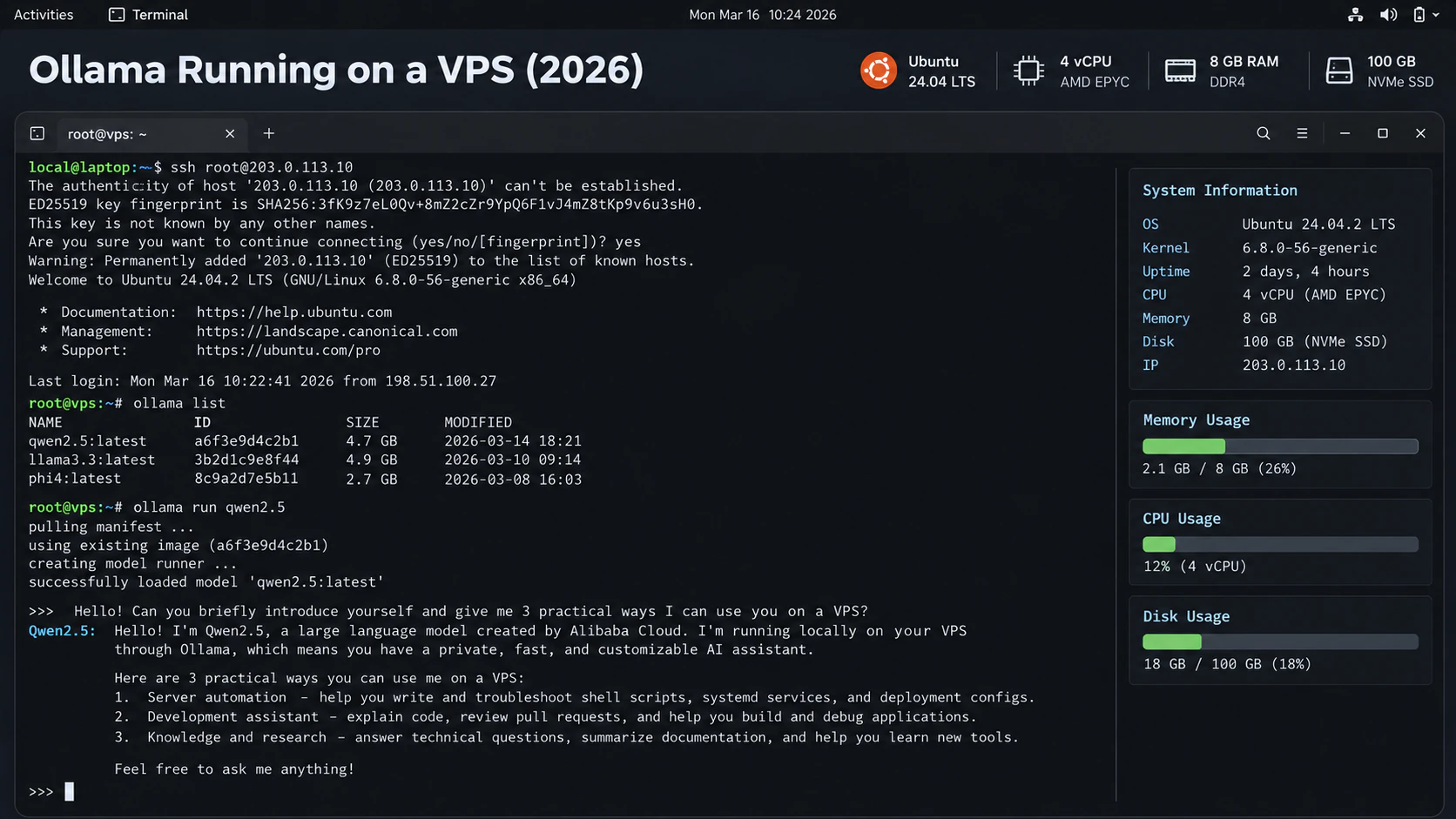
Ollama is the usual way to run a local model on a VPS. It wraps llama.cpp, serves an OpenAI-compatible API on port 11434, loads a model on the first request and keeps it resident.
8 GB is the practical starting point for a 7B model at 4-bit. 16 GB is where it stops being a negotiation: longer context, a second container, no anxiety about a spike. Below 8 GB, use an external API instead of local inference.
Quantization can push the floor below the numbers here. A 4-bit 7B model will start on 6 GB, and people run it that way. It stops being usable the first time a second request arrives or the context grows, because the machine begins swapping. Treat the lower figure as a limit, not a target.
Two models loaded at once cost the sum of both, not the larger one. Context counts as well: Ollama defaults to a 4096-token window, and raising it with OLLAMA_CONTEXT_LENGTH grows the KV cache with it.
ollama ps # what is resident right now- Qwen2.5 7B: 8 GB minimum, 16 GB comfortable
- Llama 3 8B: 8-16 GB
- Mistral 7B: 8-16 GB
- Llama 3 70B: 64 GB+, and realistically a GPU
4GB vs 8GB vs 16GB vs 32GB AI VPS
Most buyers belong in the 8-16 GB band. Above 32 GB you are buying for a specific model, and at that point VRAM usually decides the purchase instead.
- 4 GB: API bots and small 3B models. Fine for an app that calls an external model.
- 8 GB: one 7B model at 4-bit for one person, plus a web interface.
- 16 GB: agents, RAG and a database alongside the model.
- 32 GB and up: 13B-30B models, or a small team sharing the server.
RAM Is Not the Only Factor
A common assumption is that a bigger memory plan buys a faster assistant. It does not. The three parts do different jobs, and only one of them is about speed.
RAM decides whether the model loads at all. The CPU decides how fast it answers, which on a CPU-only plan is mostly single-core speed. A GPU decides how much heavy computation runs in parallel, which matters for image generation and larger models and very little else.
System RAM and GPU VRAM are also separate pools. 32 GB of RAM does nothing for a runtime that needs 24 GB of VRAM.
- Text generation: RAM decides if it runs, CPU sets the speed, a GPU is optional
- Agents and automation: RAM and CPU matter, a GPU almost never does
- Image and video generation: the GPU decides everything
Recommended AI VPS Configurations
Three builds cover almost every self-hosted AI setup, and they are listed as cards further down. Start at the first one and measure before moving up.
The middle build is the one I would buy for most readers: 16 GB runs a 7B model at a longer context with an agent, a small database and a proxy alongside it.
Answer six questions and compare plans sized against the numbers you just worked out.
Find a matching VPSThe Short Answer
8 GB is the entry point that really runs a local model. 16 GB is the size most people should buy. 32 GB and up is for larger models or several services at once.
Buy for the workload you measured, not the one you might have next year. Then compare plans by memory, CPU and storage instead of by headline price, or look for a cheap plan to start on.
With memory settled, the rest is easier: the AI VPS requirements guide covers CPU, storage, GPU and network in the same plain terms.
VPS requirements
Buy for the workload, not the install command
A 7B-8B model at a longer context, plus an agent, a database and a reverse proxy.
13B-30B models, or a model server shared by a small team. Add a GPU only for image generation.
Common mistakes that cause real downtime
- Sizing for model weights and forgetting the OS, the runtime and the KV cache
- Buying RAM the workload never touches, then paying for idle memory every month
- Ignoring CPU and disk: four modern cores with NVMe matter as much as the RAM number
- Comparing a Q4 file size against an FP16 requirement, then buying twice what you need
- Assuming a GPU plan fixes a memory problem. System RAM and VRAM are separate pools
Before you commit to annual billing
free -h shows the model resident with 1-2 GB still free for the system
vmstat shows no swap during a ten-minute session with your own prompts
Tokens per second measured on the plan you are keeping, not on a different node
Container memory limits set, so one runaway service cannot starve the model
Frequently asked questions
How much RAM should a beginner buy for an AI VPS?
8 GB is the minimum that runs a local model comfortably. 16 GB is what most beginners should actually buy, because a web interface, an agent or a database tends to arrive within the first month.
How much RAM does an AI VPS need?
8 GB to 16 GB covers most workloads. 8 GB runs one 7B model at 4-bit for a single user. 16 GB adds an agent, a database and a longer context. 32 GB and up is for larger models.
Is 4 GB RAM enough for AI?
Only for tools that call an external model API. 4 GB cannot hold a 7B model in memory, so local inference starts at 8 GB.
Can I run Ollama on a VPS?
Yes, on 8 GB or more depending on the model. Ollama loads a model on the first request and keeps it resident, so the first prompt after a restart is slower.
Do AI VPS need a GPU?
Not for text. LLMs run on CPU VPS hardware, which is why Ollama on a cheap plan works. Image generation and models above roughly 30B parameters usually need a GPU, and VRAM is separate from system RAM.
Next step
Keep the deployment moving
Sources and further reading
- Ollama: model library and file sizes
- Ollama: FAQ
- Open WebUI: documentation
- Ollama: context length and memory
- Ubuntu Server: documentation
Commands assume a fresh Ubuntu server. Replace domains, users, database names and provider-specific values before running them. VPS sizing is a practical starting point, not a guarantee: monitor the real workload and resize when CPU, memory, disk or network headroom becomes tight.